
Why Does a Video Doorbell Keep Losing Power?

Contact Us
A video doorbell loses power when its battery runs out or its electrical supply stops. However, an offline alert alone doesn't prove the device has lost power, because a connection problem can make a working doorbell unavailable in its app.
The next step depends on whether your doorbell runs on a rechargeable battery, permanent wiring, or a plug-in adapter. Start by separating an actual shutdown from a lost connection, then focus on the power source without opening electrical equipment.
Key Takeaways
- Battery-powered doorbells need regular charging, even when a lost connection makes the problem look more complicated.
- Wired doorbells depend on the building's electrical supply. A power interruption can also affect the router and internet connection.
- Burning odors, shocks, repeated breaker trips, and damaged electrical equipment require professional attention.
Basic video doorbell power troubleshooting should stay noninvasive. Charging a removable battery and reviewing app notifications are different from handling wiring, opening boxes, or working inside a panel.
Separate Power Loss From an Offline Alert
An app can report that a doorbell is unavailable without explaining why. The device may have stopped operating, or it may have lost its connection to your home network.
Meanwhile, a household outage can interrupt both systems. A doorbell and router going offline together doesn't establish that the doorbell itself needs repair.
Use the symptoms you've already observed to describe the problem accurately.
| What you've noticed | What it tells you |
|---|---|
| A low-battery warning appeared before the shutdown | The battery needed charging |
| The app says "offline" without a battery warning | The alert alone doesn't establish power loss |
| The doorbell stopped during a household outage | The interruption affected the building's electrical supply |
| Other electrical devices also behave abnormally | The concern may extend beyond the doorbell |
These observations narrow the conversation without requiring electrical measurements or disassembly.
Also, treat missing notifications separately from missing power. A missed motion alert doesn't establish that the device shut down. Likewise, an indoor chime failing to sound doesn't, by itself, prove the camera has stopped operating.
Before changing anything, save the notification history and note whether the interruption affected other devices. That record gives an electrician useful context if service becomes necessary.
Battery-Powered Doorbells Need a Charging Routine
Ordinary use consumes stored energy
A rechargeable doorbell has a limited amount of energy between charges. Recording events and opening live video both use that energy, so frequent activity can mean more frequent charging.
A busy storefront entrance and a rarely used side door place different demands on a battery-powered camera. For that reason, a charging schedule that worked at one location may not suit another.
Pay attention to the battery notifications the device provides. Charging before the battery empties helps avoid an interruption in coverage. However, repeated loss of operation after normal charging deserves further attention rather than an endless cycle of resets.
A wiring connection may not eliminate the battery
Some battery-powered doorbells can also connect to existing doorbell wires. That doesn't automatically make them equivalent to models designed for permanent wired power.
The battery can remain part of the operating setup. Therefore, visible wires alone aren't enough to conclude that charging is unnecessary.
For routine charging, use the charging equipment intended for the device and keep the charging area dry. Don't improvise a power supply, modify a cable, or leave a charging connection exposed to rain.
If charging requires access to fixed wiring rather than a removable battery or charging port, leave that work to a qualified electrician.
Wired Doorbells Depend on the Building's Supply
An outage can interrupt more than the camera
A permanently wired doorbell depends on electricity reaching its power supply. During a household outage, that supply may stop along with other equipment.
Internet access may disappear at the same time because the router also needs electricity. As a result, a single outage can produce several app alerts that appear to describe separate problems.
After power returns, distinguish an isolated doorbell issue from a continuing household interruption. If other lights or devices remain affected, report that broader pattern when arranging electrical service.
Avoid repeatedly resetting a breaker to keep the doorbell operating. A breaker that trips again needs professional evaluation.
The indoor chime belongs to the installation
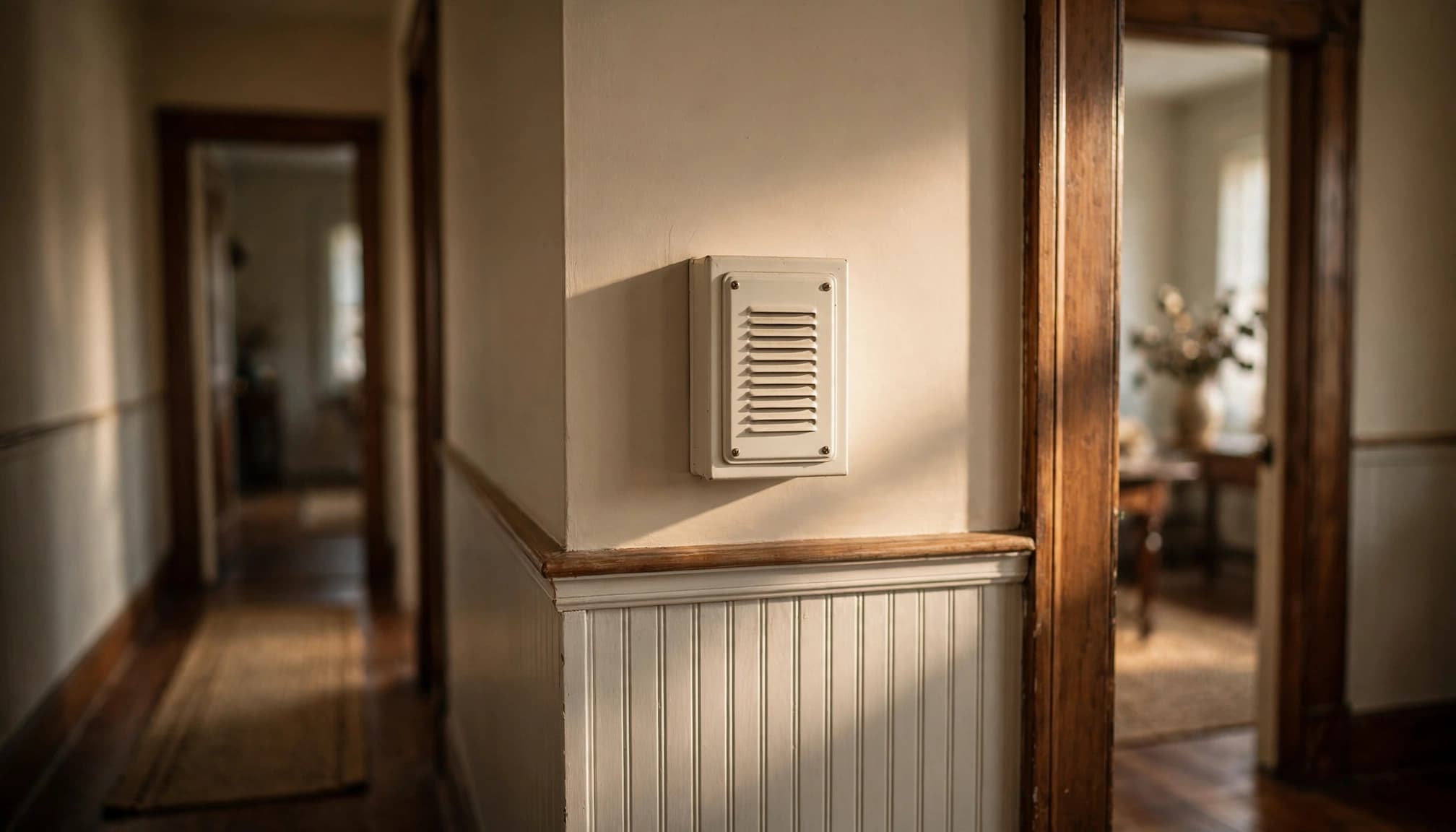
A wired installation may include the outdoor doorbell, an indoor chime, wiring, and a transformer that reduces household voltage for the doorbell system.
Those components form one installation, even though you usually interact only with the camera and app. An electrician can evaluate the setup as a whole instead of treating the outdoor device as the only relevant component.
Don't bypass the chime, move conductors, or remove installed accessories as an experiment. Changing several connections also makes the original problem harder to describe.
Safe Steps You Can Take Before Service
You can gather useful information and handle routine charging without turning the job into electrical repair.
- Identify the power arrangement. Note whether the doorbell uses a removable battery, permanent wiring, or a visible plug-in adapter. Don't remove equipment to investigate hidden connections.
- Save the existing alerts. Record low-battery messages, offline notifications, and the approximate time each interruption occurred.
- Handle normal charging. Recharge a user-removable battery with its intended equipment. Keep plugs and charging connections dry.
- Describe the surrounding conditions. Note household outages, recent renovations, or whether other devices stopped working at the same time.
If the setup uses a plug-in adapter, keep it connected only through an appropriate, undamaged receptacle. Don't splice its cord or create a permanent arrangement with extension cords.
For fixed electrical equipment, switching off a breaker doesn't replace safe electrical work procedures. Circuit labels can be wrong, and some panel components can remain energized even with the main breaker off.
Low-voltage doorbell wiring doesn't make the entire installation safe to open. The equipment supplying it connects to household electricity.
Leave panel covers, transformer connections, junction boxes, and permanent wiring to a qualified professional. Also, keep away from wet or visibly damaged electrical equipment rather than trying to disconnect it by hand.
Surge Protection Doesn't Keep a Doorbell Powered
An outage and a surge are different electrical events. A surge protector addresses certain voltage spikes; it doesn't supply electricity when the building loses power.
It also doesn't correct a brownout. Our explanation of power outage effects describes that distinction for household electronics.
A UPS, or uninterruptible power supply, provides temporary battery power to equipment connected to it. Its capacity and runtime limit what it can support. For example, backing up internet equipment may preserve connectivity, but it doesn't automatically power a separately wired doorbell.
Similarly, whole-home surge protection requires equipment matched to the electrical panel and proper installation. It shouldn't be presented as a cure for recurring doorbell shutdowns.
The repair should address the actual interruption rather than adding protective equipment without a clear purpose.
When to Call a Qualified Electrician
Electrical warning signs require prompt attention
Stop using the affected equipment if you notice burning odors, discoloration, buzzing, shocks, or repeated breaker trips. Don't keep operating it to see whether the symptom returns.
If you can safely reach the correct breaker without approaching wet, hot, damaged, or sparking equipment, switch off the affected circuit. Then keep people away until a licensed electrician evaluates it.
Smoke, fire, or active arcing calls for immediate action: leave the area and call 911 from a safe location. Don't use water on an electrical fire, and don't open the panel to investigate.
A doorbell inconvenience should never take priority over an electrical hazard.
Recurring interruptions may need a broader evaluation
Arrange professional service when a wired doorbell keeps shutting down after the household supply has returned, or when the problem accompanies other electrical symptoms.
Older properties can contain wiring and alterations from different renovation periods. Brittle insulation, unexplained connections, and signs of unfinished electrical work warrant professional attention rather than trial-and-error repairs.
A home electrical inspection can help establish whether the concern is limited to one installation or belongs to a broader safety issue.
We provide electrical inspections and repair services throughout Metro and Greater Boston. When scheduling, describe the power arrangement, the interruption pattern, and any related warning signs so we can understand the concern before the visit.
Frequently Asked Questions
Can a video doorbell be offline while it still has power?
Yes. "Offline" describes the device's connection status, so it doesn't necessarily mean the battery is empty or the electrical supply has stopped.
A network interruption can make the device unavailable through its app. That's why the timing of household outages, battery warnings, and other device interruptions matters. Avoid replacing electrical components based only on an offline message.
Should I keep resetting a breaker when the doorbell stops?
No. If a breaker trips again after a reset, stop resetting it and contact a qualified electrician.
Repeated tripping is a warning that the circuit needs evaluation. Never hold a breaker on, bypass a protective device, or substitute a larger breaker. If the panel is wet, damaged, hot, or sparking, keep away from it entirely.
Restore Reliable Power Without Risky Repairs
The most useful first step is distinguishing actual power loss from a connection alert. Then handle routine battery charging or have a qualified electrician evaluate a recurring wired-power interruption.
Keep troubleshooting outside electrical boxes and panels. Burning smells, shocks, and repeated trips deserve prompt attention, even when the doorbell seems like a small part of the problem.
For electrical troubleshooting in Metro and Greater Boston, call us at (781) 229-9988 .